Your Module Manifest Is a Contract: Securing Gallery Dependencies in 2026
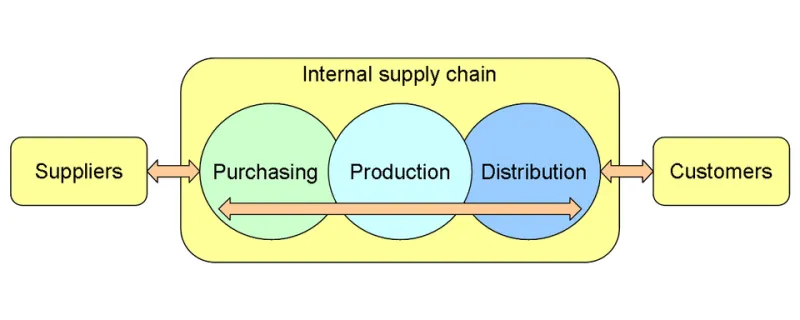
Photo: Stern, CC BY-SA 3.0, via Wikimedia Commons
Somewhere in your build pipeline, a script does the equivalent of Install-Module and moves on. That single line is an unversioned, unverified fetch from a public repository run by a small team, invoked with credentials or trust assumptions you probably haven't examined. It's a supply chain. It just doesn't have a compliance dashboard yet.
The good news: PowerShell gives you better tools for this than most ecosystems did at the same maturity level. The bad news: they're opt-in, and most scripts don't opt in.
Treat the manifest as the contract
The .psd1 you ship is a declaration of what your module needs. Make it earn its keep.
@{
    RootModule    = 'MyToolkit.psm1'
    ModuleVersion = '3.2.0'
    GUID          = 'a1b2c3d4-0000-0000-0000-000000000000'
    Author        = 'Platform Engineering'
    RequiredModules = @(
        @{ ModuleName = 'Pester';       RequiredVersion = '5.6.1' }
        @{ ModuleName = 'Az.Accounts';  RequiredVersion = '2.13.1' }
    )
}
The detail that matters more than it looks: ModuleVersion is a minimum, while RequiredVersion pins exactly. Most manifests people write default to the minimum form, which means every restore is a fresh opportunity for a minor version to arrive with a behavior change or a new transitive dependency.
Transitive dependencies are the sneaky part. Your module requires one thing; that thing requires four others; you've audited none of them. Enumerate the full closure once, pin it once, and store the result as a lock file your CI can verify against. A JSON file with name, exact version, and a SHA-256 hash per package is boring and effective.
Verify the publisher, not just the name
Repository-hosted packages go through catalog signing, and resource-management tooling validates that catalog at install time in normal configurations. Don't take that on faith — check the artifacts yourself after they land on disk.
Get-ChildItem -Path $moduleRoot -Recurse -Include *.psd1, *.psm1, *.ps1 |
    Get-AuthenticodeSignature |
    Where-Object Status -ne 'Valid' |
    Select-Object Path, Status, SignerCertificate
A Valid status with a certificate whose subject isn't the publisher you expect is a red flag, not a pass. Pin the expected thumbprints in your validation script and compare. That's the difference between checking a lock and checking the right lock.
Mirror it internally
This is the single highest-value change most teams can make, and it also solves the offline-restore problem nobody thinks about until an endpoint blocks outbound traffic.
- Host an internal feed — Azure Artifacts, JFrog Artifactory, ProGet, an SMB share consumed as a file-system repository, or a
PSResourceGetrepository behind your own auth. - Promote, don't proxy blindly. Let a human or an automated policy step approve a package once, then serve only approved versions to build agents.
- Register the internal feed as the only source in build images. A build agent that can reach the public gallery will eventually reach it, and your pinning discipline evaporates.
Register-PSResourceRepository -Name 'Corp' -Uri 'https://pkgs.contoso.com/nuget/v3/index.json' -Trusted
Find-PSResource -Name 'Pester' -Repository 'Corp'
The -Trusted flag is a real convenience — it suppresses prompts for repositories you've decided to trust. Decide deliberately, in writing, with a name attached.
Validate in CI, every build
A restore step that succeeds is not the same as a restore step that is correct. Add four cheap gates:
- Lock enforcement. Restore from the internal feed with exact versions, then diff the resolved set against the committed lock file. Fail on drift.
- Signature gate. All files valid, all signer thumbprints on the allow list.
- Analyzer pass. Run
Invoke-ScriptAnalyzerover your own code with custom rules.Invoke-Expressionin a module you're about to ship to a thousand endpoints is worth a hard failure. - Behavioral smoke test. Pester tests that actually load the module in a clean session with
-NoProfileand exercise the entry points. Loading is where most dependency rot surfaces.
And publish an inventory — a machine-readable SBOM with module names, versions, and hashes — alongside the release artifact. When the next supply-chain story breaks, you want to answer "are we affected?" with a query, not a meeting.
When the dependency vanishes
It happens more than people admit. A version is unlisted. A maintainer abandons a project. A package gets republished after a security fix and your pinned hash no longer matches. Sometimes the package is removed outright.
What saves you is boring preparation:
- Archive every approved package. Keep the
.nupkg(or the extracted module folder) in an artifact store with retention long enough to outlive your support window. Your mirror should be a cache of record, not a pass-through. - Never silence publisher checks to make a build go green. Flags that skip verification exist so failures are visible; using them as a fix converts a security event into a permanent blind spot.
- Keep a vendored fallback for critical modules — the ones your provisioning and compliance scripts can't run without. Three or four modules deserve this treatment.
- Have a fork plan. For anything load-bearing, know who can patch it in-house and how fast. If the answer is nobody, that's a risk acceptance, and it should be recorded as one.
The uncomfortable summary
Your PowerShell modules are part of your software supply chain, whether or not they have a corporate logo attached. Pin exact versions and hash them. Verify signatures against an allow list you maintain. Serve everything from a mirror you control, and make the build agent prove it can't reach the public internet. Then, when something upstream moves, you'll be reading about it instead of living it.